Automatic Record Splitting (Breakpoints)
When you scan a thick stack containing many different documents at once, VHDoc can automatically detect where each document begins and split them into separate record files.
1. Ways to split records automatically
You can choose one of the following methods depending on your organization's habits:
Method 1: Insert a QR-coded sheet in between (Recommended)
- This is the fastest and most accurate method.
- Simply print the software's QR-coded sheets in advance and insert one at the front of each record before scanning.
- When the scan passes over the QR sheet, the software understands that this is a new record.
- Automatic QR sheet removal: The QR-coded sheet is automatically removed from the final result file, so you do not have to delete it manually.
Method 2: Insert a blank sheet in between
- Simply insert an ordinary blank sheet between two records.
- The software recognizes the blank page, automatically splits into a new record, and automatically removes that blank sheet.
- Note: Place the blank side cleanly so the software recognizes it best.
Method 3: Recognition by the first-page header
- The software can automatically read the line of text at the top of the page. When it encounters header lines such as "SOCIALIST REPUBLIC OF VIETNAM" or "DECISION", it automatically splits into a new record.
Method 4: Split evenly by a fixed number of pages
- Applies to paper types that always have the same number of pages (for example, records that always have exactly 2 pages or exactly 4 pages).
- Each time that number of pages is scanned, the software automatically packages it into one record.
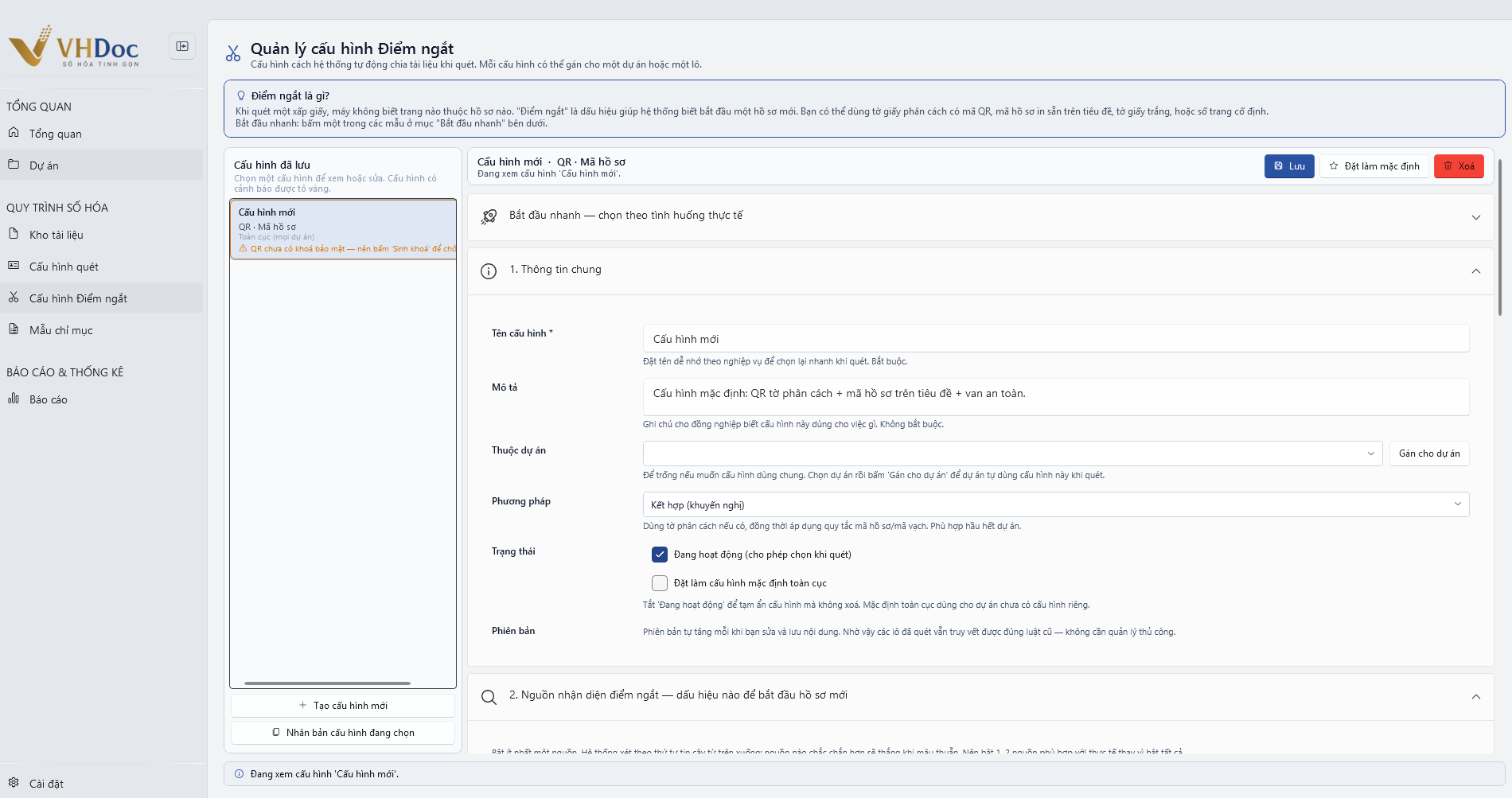
Figure: Breakpoint configuration management and automatic record-splitting recognition rules
2. Splitting and merging records manually with the keyboard
If you want to split or fix things your own way:
- Split a record at any page: Click to select that page, then press the Space key. That page becomes the first page of a new record.
- Merge two records: Select the records and click the "Merge records" button on the toolbar.
- Reorder pages: Use the mouse to drag a page to the desired position.